

Set up from the Meilisearch Cloud dashboard
Open your project in the Meilisearch Cloud dashboard, select the Search rules tab, and click New rule. Give the rule an ID, such assummer-sale, and a description.
Boost the products on sale
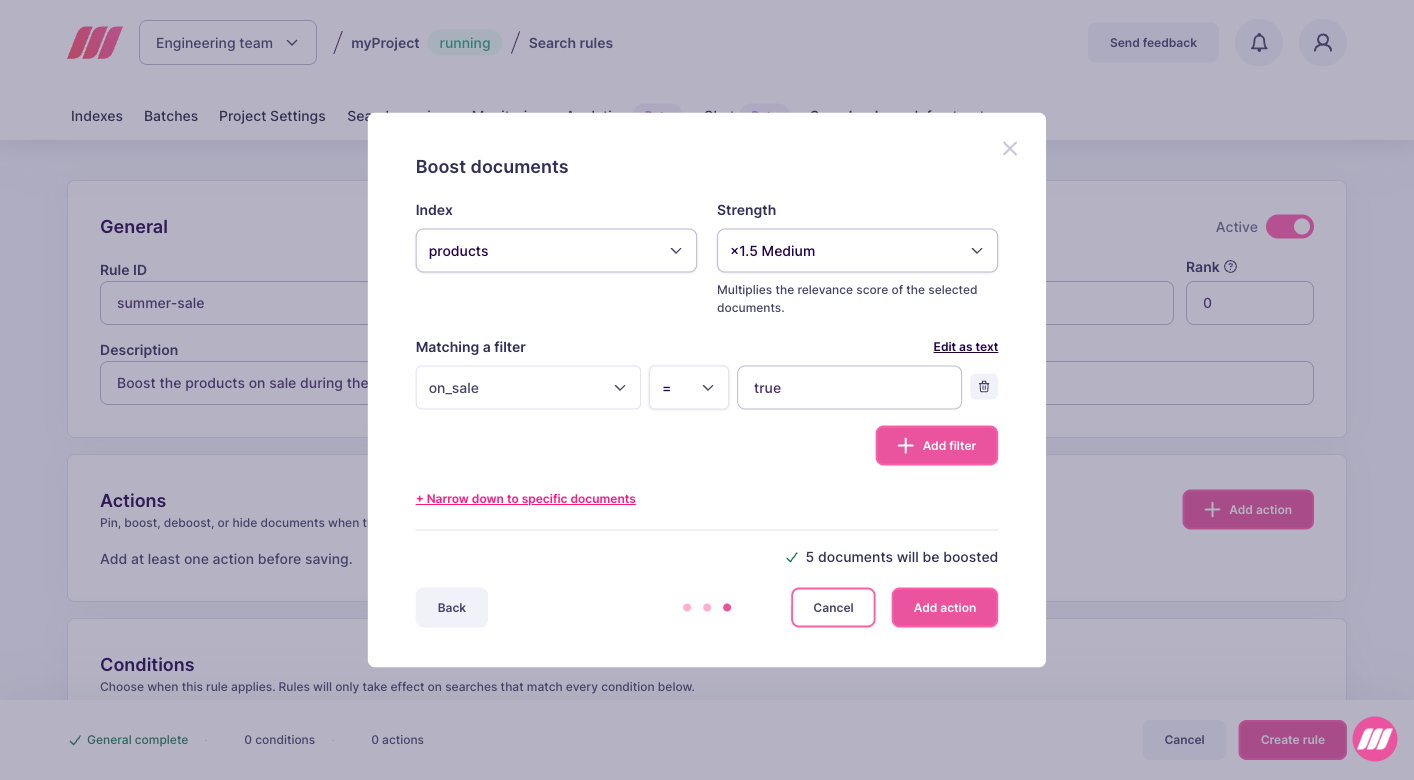
In the Actions block, click Add action, select Boost documents, then click Next. Choose how to select the products: with a filter, or document by document. A filter fits here, because you want every product on sale, whichever they are at that moment.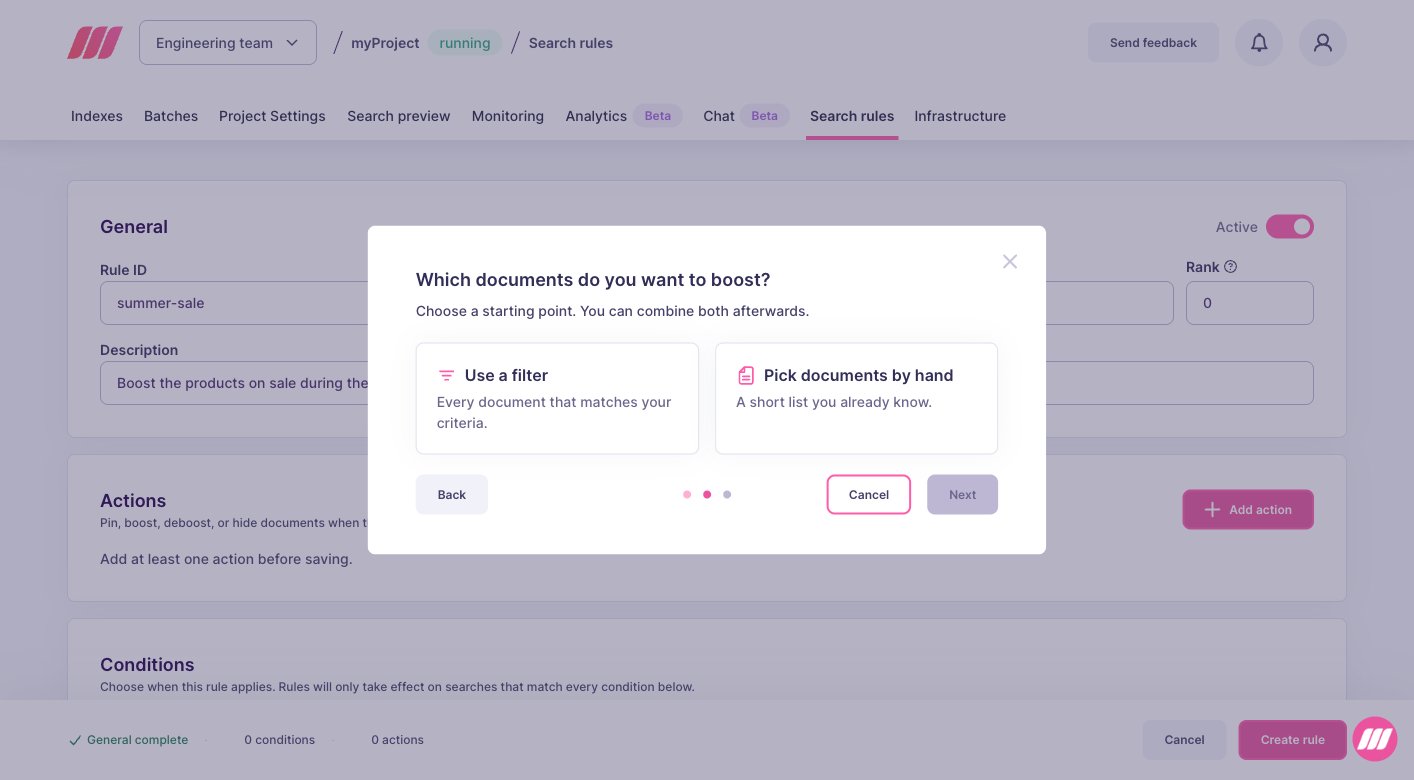
- Index: the index holding the products, here
products. - Filter: the condition selecting them, here
on_sale = true. The attribute you filter on must be in thefilterableAttributessetting of the index, otherwise the action selects no document. - Strength: how high the selected products climb. Start with the medium value, then run a few searches of your own and adjust: the right strength depends on your data and on the way your users search.
Limit the rule to the campaign
In the Conditions block, set Time to Apply within time range, then enter the start and the end of your campaign. Times are in UTC, so convert your local window before entering it.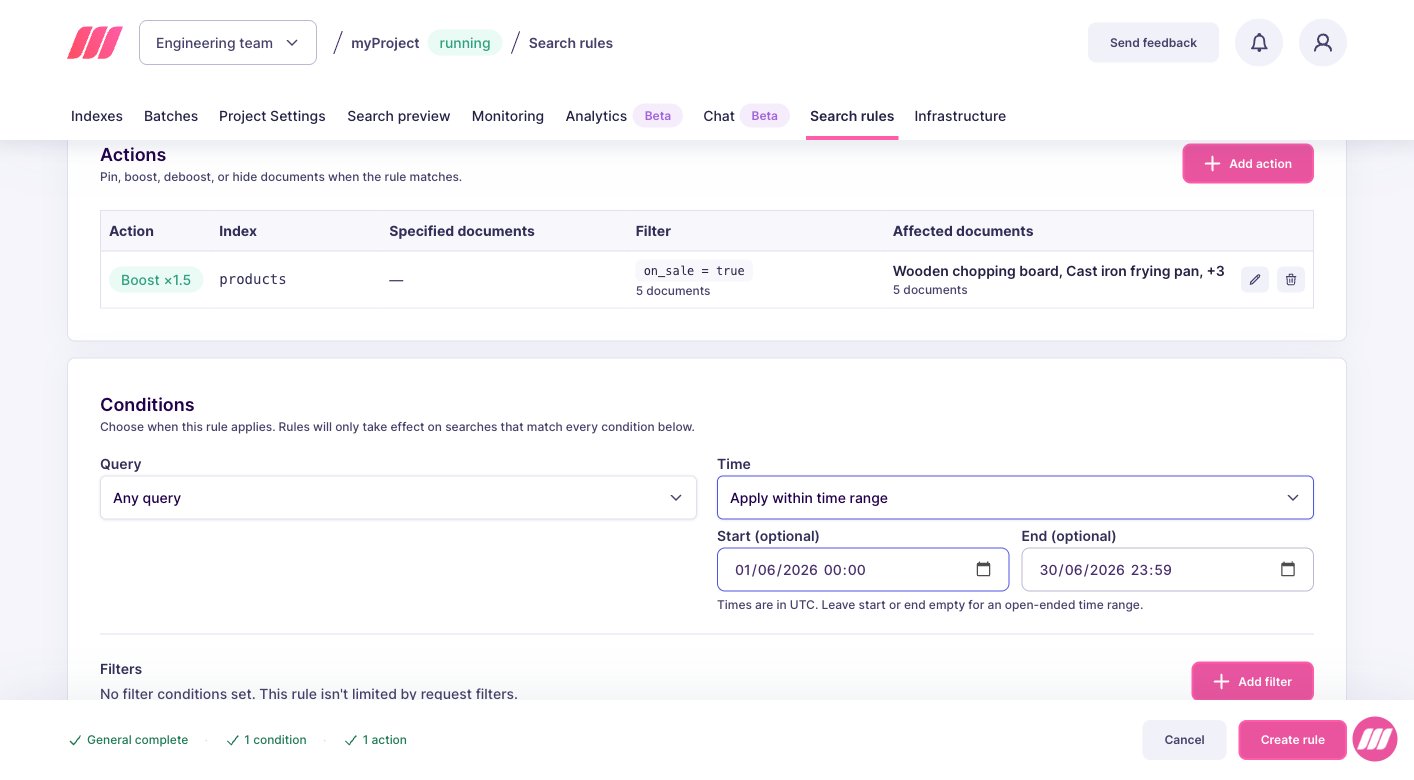
Set up on a self-hosted instance
weightmultiplies the relevancy of the selected documents. Above1, the documents rank higher. A product that was tenth can move into the first results, but only if it matches the query.filterselects every document matching it. The attributes you use must be in thefilterableAttributessetting of the index, otherwise the action selects nothing.conditions.timeaccepts RFC 3339 timestamps in UTC. Convert your local campaign window before sending it.
taskUid, because creating a rule is an asynchronous operation:
succeeded status. To follow its progress, pass the taskUid to the task API.
From then on, searches return the same documents as before, with the products on sale higher in the list. At the end of the campaign, the rule stops on its own and the ranking goes back to normal, with nothing to clean up.
Next steps
Deboost documents
Keep documents available but lower in the results
Hide documents
Remove documents from the results without reindexing
Pause a rule
Stop a campaign before its end date
API reference
Endpoints, rule fields, and update behavior