

Example scenario
You have roughly fifty search rules, and several of them belong to a running promotion cycle. Their Rule IDs all start withpromo- (for example, promo-summer-2026, promo-back-to-school-2026). Before launching a new campaign, you want to list every rule with a uid starting with promo- so you can confirm which ones are still active.
The Cloud dashboard lets you browse the list visually. The API lets you filter by uid pattern and by active status to narrow the results to exactly the rules you care about.
Browse rules from the Meilisearch Cloud dashboard
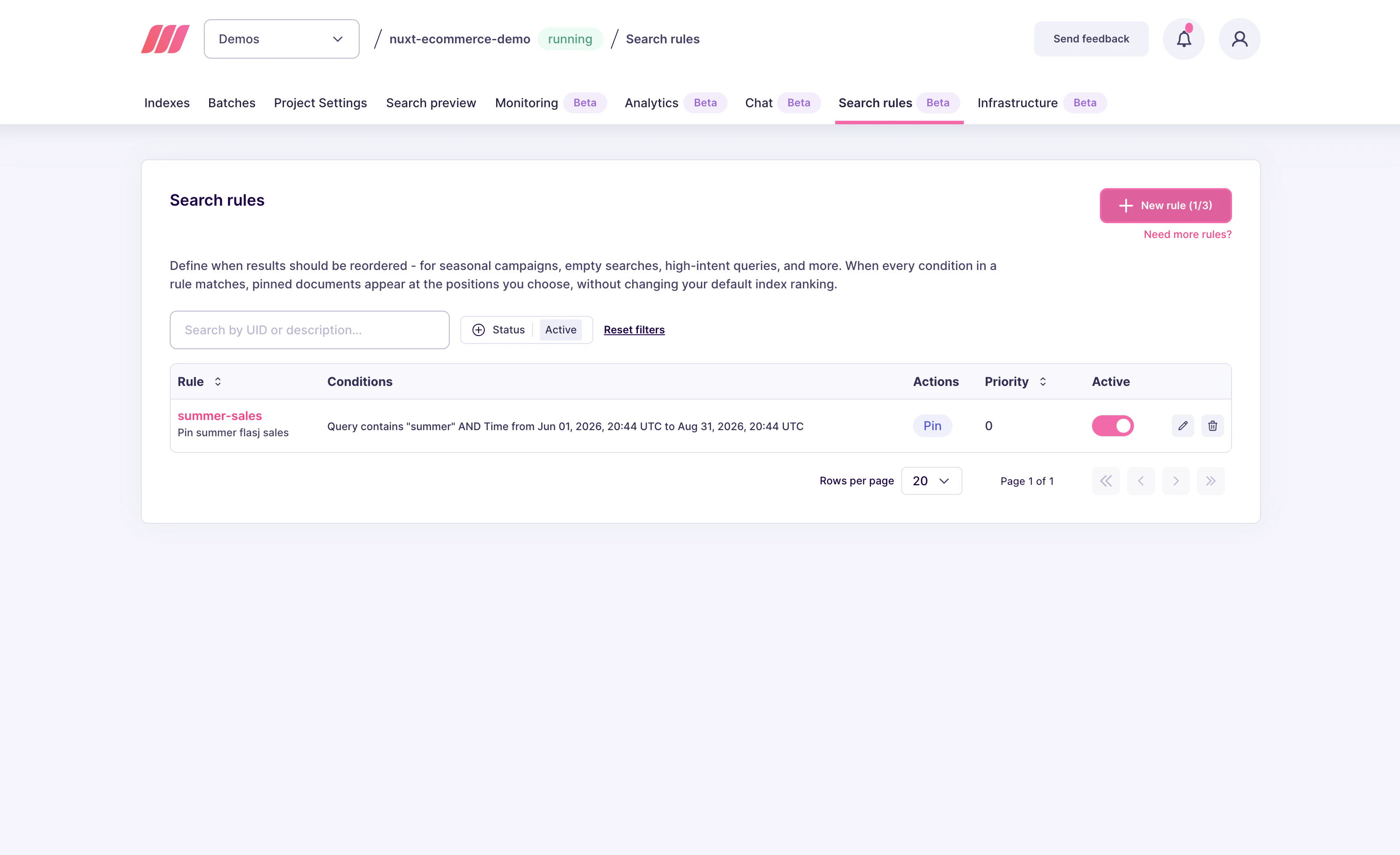
Open your project in the Meilisearch Cloud dashboard and select the Search rules tab.1. Review the rules list
The Search rules tab shows every stored rule in a single table. For each rule you can see:- Rule ID (the rule’s
uid) - Conditions in a readable summary
- Actions (the number of pins and their positions)
- Priority
- Active toggle
2. Find a specific rule
The dashboard list is designed for a moderate number of rules. If you need to search byuid pattern or by active state across many rules, use the API instead. The dashboard is good for spot checks, the API is good for audits.
List rules from the API
Send aPOST /dynamic-search-rules with pagination and optional filters:
uid, conditions, actions, priority, active, description).
Parameters
offsetandlimitcontrol pagination. Defaults areoffset: 0andlimit: 20. The maximumlimitvaries by Meilisearch version, keep requests under a few hundred rules per call.filter.attributePatternsaccepts a list of attribute-pattern strings.promo*returns every rule whoseuidstarts withpromo.*seasonal*returns every rule whoseuidcontainsseasonal. Patterns are case-sensitive.filter.activefilters by status:truereturns only active rules,falsereturns only paused rules. Omit the field to return rules regardless of status.
uid starts with promo-, which is exactly the campaign-audit case described above.
Retrieve a single rule
If you already know a rule’suid, send GET /dynamic-search-rules/{uid} instead:
PATCH /dynamic-search-rules/{uid} after modification.
Common auditing patterns
- Expired promotions: list every rule with
active: falseto find paused rules you might still want to keep for future campaigns, or delete if they are truly one-off. - Rules per index: the list response includes each rule’s actions, so you can group by
selector.indexUidlocally to see how many pins target each index. - Scheduled promotions: list every rule whose conditions contain a
timescope with astartin the future. This is a good sanity check before a campaign goes live. - Priority conflicts: list rules that share a
containsvalue and compare theirpriorityvalues. If two rules have the same priority and target different documents for the same query, ordering is not guaranteed.
Variations and tips
- Pagination for large rule sets: page through the rules in batches of 20 to 100. Do not try to fetch everything in a single request if you have hundreds of rules.
- Scripting audits: combine the list API with
DELETE /dynamic-search-rules/{uid}orPATCH /dynamic-search-rules/{uid}to script bulk cleanup. Always list first, inspect the result, then apply changes. - Version control: search rules live at the instance level, not inside an index settings object, so they are not exported with
meilisearch dumps. Keep a copy of your important rules in your own version control if you need rollback safety.
Next steps
Pause a rule
Stop a rule without deleting it
Schedule a promotion
Combine a query condition with a time window
Pinning behavior
Learn how pins interact with ranking, filters, and precedence
API reference
Full request and response shapes