> ## Documentation Index
> Fetch the complete documentation index at: https://www.meilisearch.com/docs/llms.txt
> Use this file to discover all available pages before exploring further.
# Integrate Meilisearch Cloud with Vercel
> Link Meilisearch Cloud to a Vercel Project.
In this guide you will learn how to link a [Meilisearch Cloud](https://www.meilisearch.com/cloud?utm_campaign=oss\&utm_source=docs\&utm_medium=vercel-integration) instance to your Vercel project.
## Introducing our tools
### What is Vercel?
[Vercel](https://vercel.com/) is a cloud platform for building and deploying web applications. It works out of the box with most popular web development tools.
### What is Meilisearch Cloud?
[Meilisearch Cloud](https://www.meilisearch.com/cloud?utm_campaign=oss\&utm_source=docs\&utm_medium=vercel-integration) offers a managed search service that is scalable, reliable, and designed to meet the needs of all companies.
## Integrate Meilisearch into your Vercel project
### Create and deploy a Vercel project
From your Vercel dashboard, create a new project. You can create a project from a template, or import a Git repository.
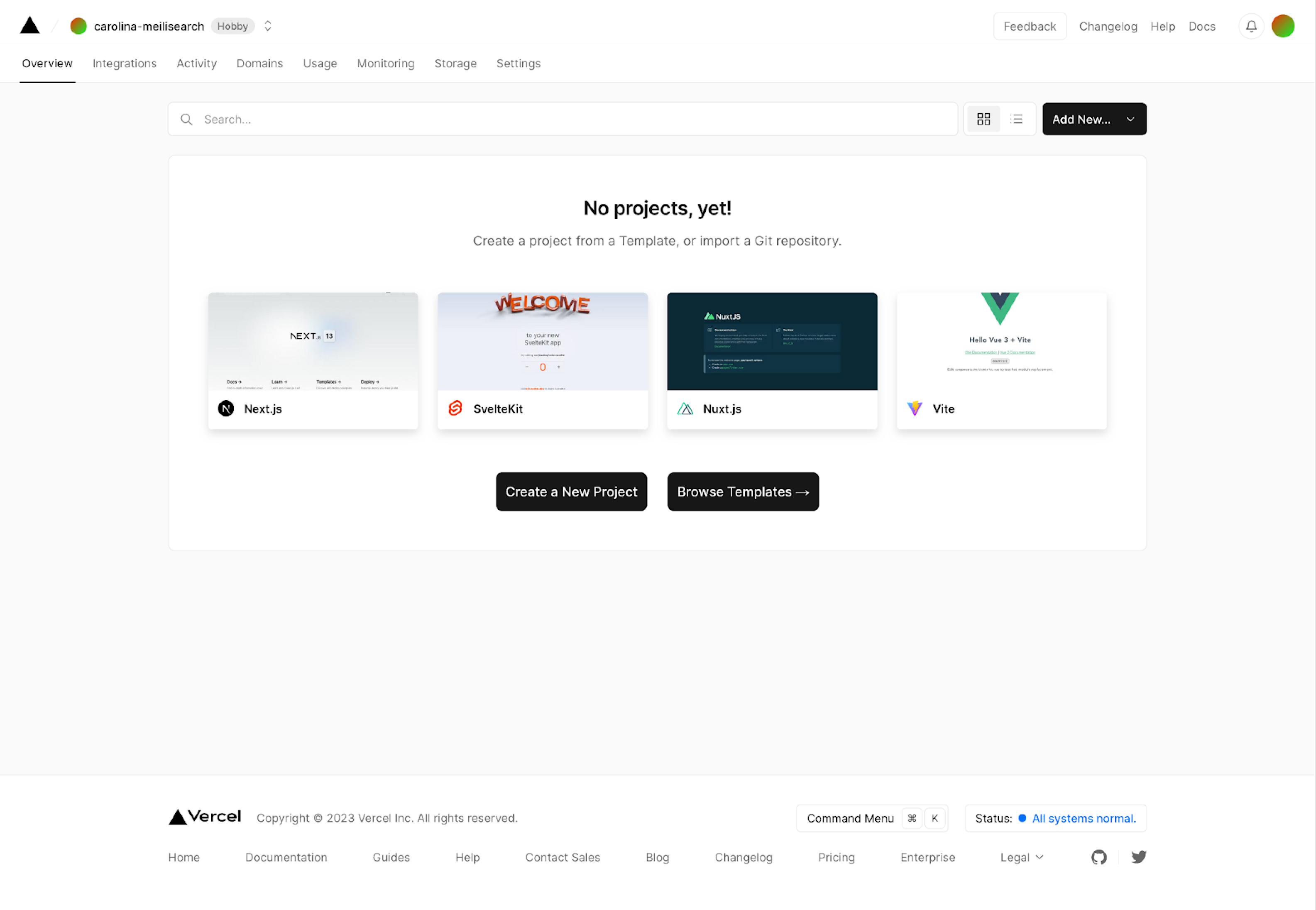 Select your project, then click on **Deploy**. Once deployment is complete, go back to your project’s dashboard.
### Add the Meilisearch integration
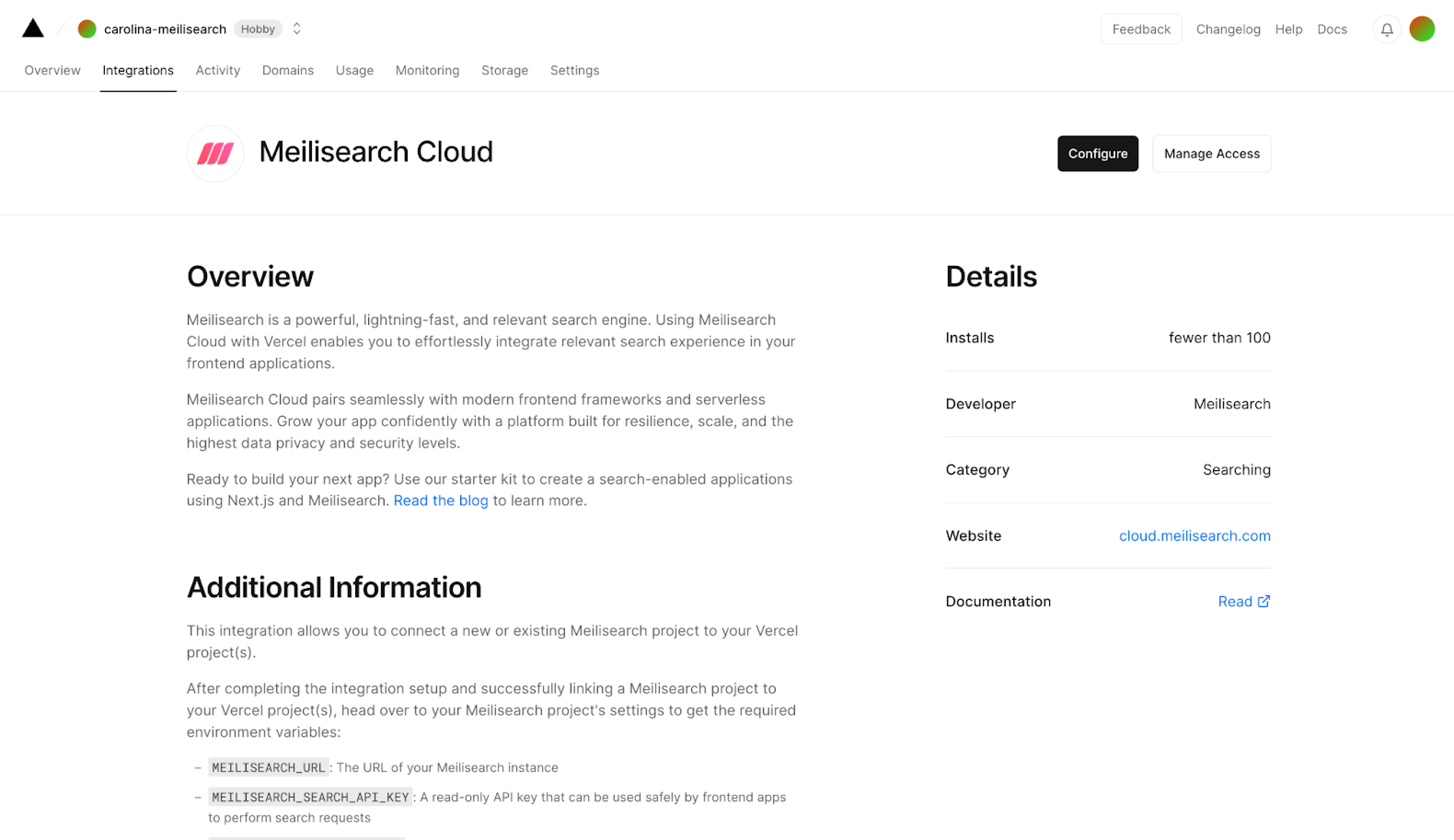
Go to the project settings tab and click on **Integrations** on the sidebar menu to the left of your screen.
Select your project, then click on **Deploy**. Once deployment is complete, go back to your project’s dashboard.
### Add the Meilisearch integration
Go to the project settings tab and click on **Integrations** on the sidebar menu to the left of your screen.
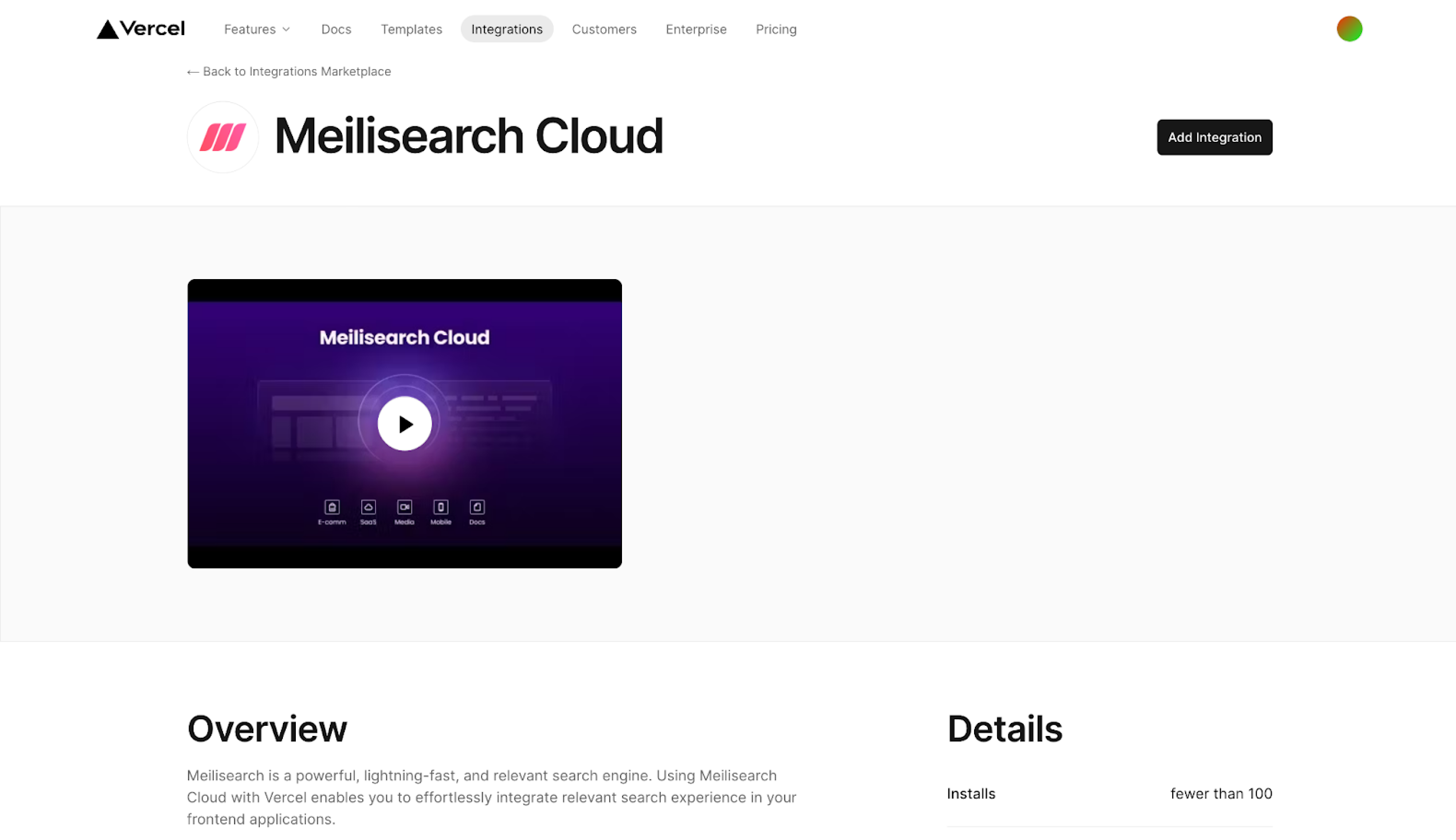
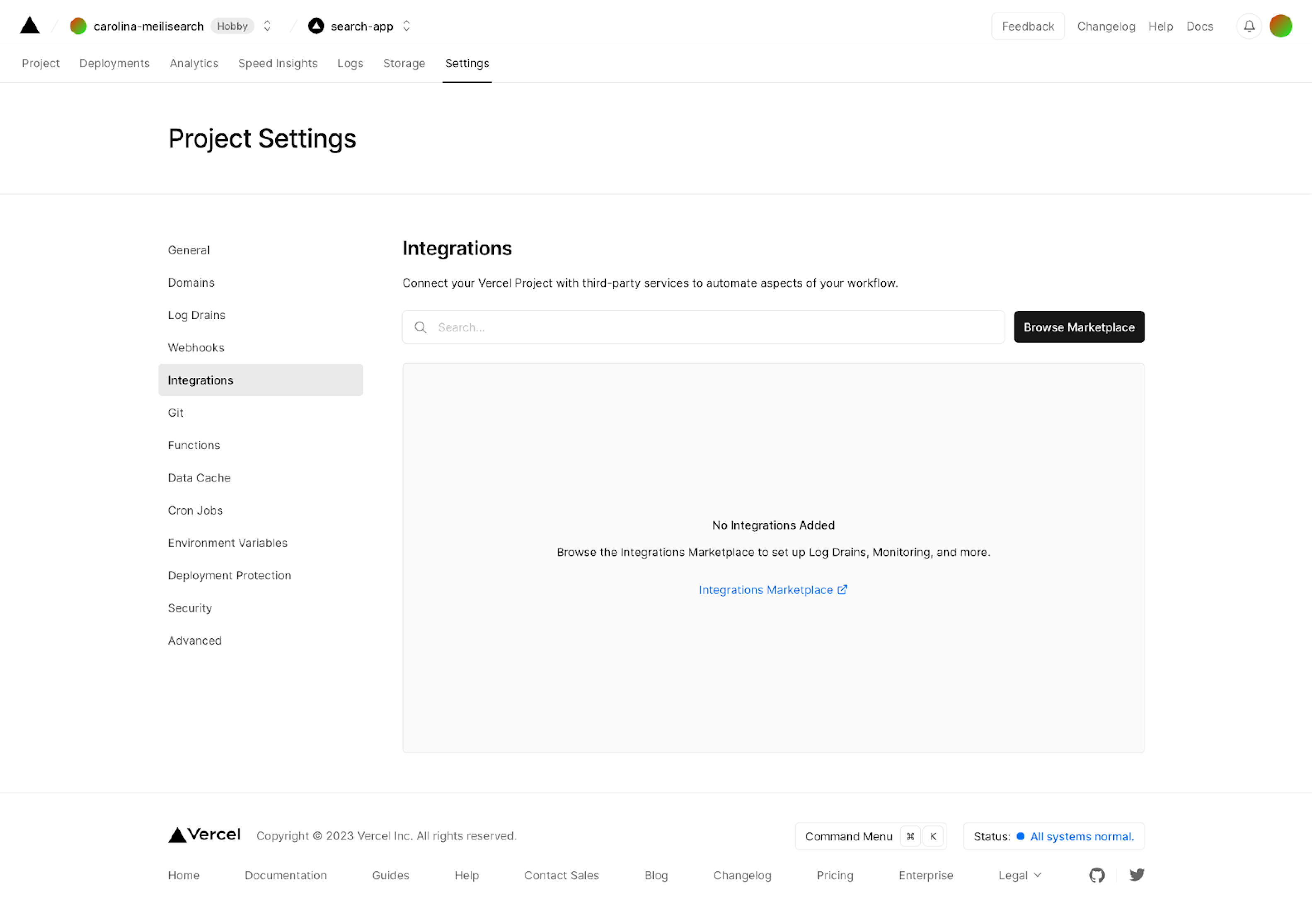 Search for the [Meilisearch integration](https://vercel.com/integrations/meilisearch-cloud) in the search bar. Click on the **Add integration** button.
 Select the Vercel account or team and the project you to which you want to add the integration. You may add the Meilisearch integration to one or more projects in this menu.
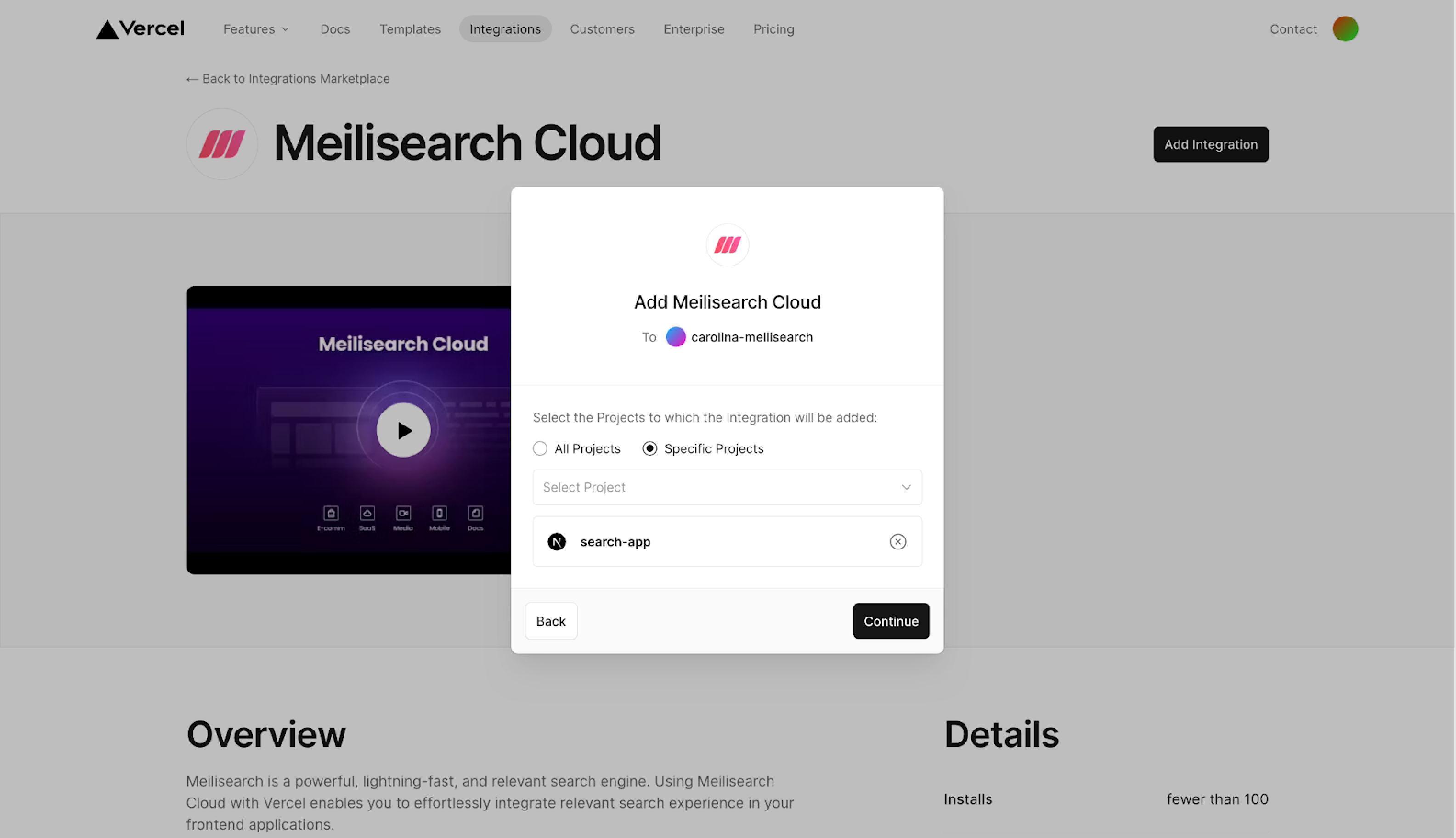 Click on **Continue**. Vercel will display a list with the permissions the integration needs to work properly. Review it, then click on **Add Integration**.
### Set up Meilisearch Cloud
Vercel will redirect you to the Meilisearch Cloud page. Log in or create an account. New accounts enjoy a 14-day free trial period.
You can choose an existing project or create a new one. To create a new project, complete the form with the project name and region.
Click on **Continue**. Vercel will display a list with the permissions the integration needs to work properly. Review it, then click on **Add Integration**.
### Set up Meilisearch Cloud
Vercel will redirect you to the Meilisearch Cloud page. Log in or create an account. New accounts enjoy a 14-day free trial period.
You can choose an existing project or create a new one. To create a new project, complete the form with the project name and region.
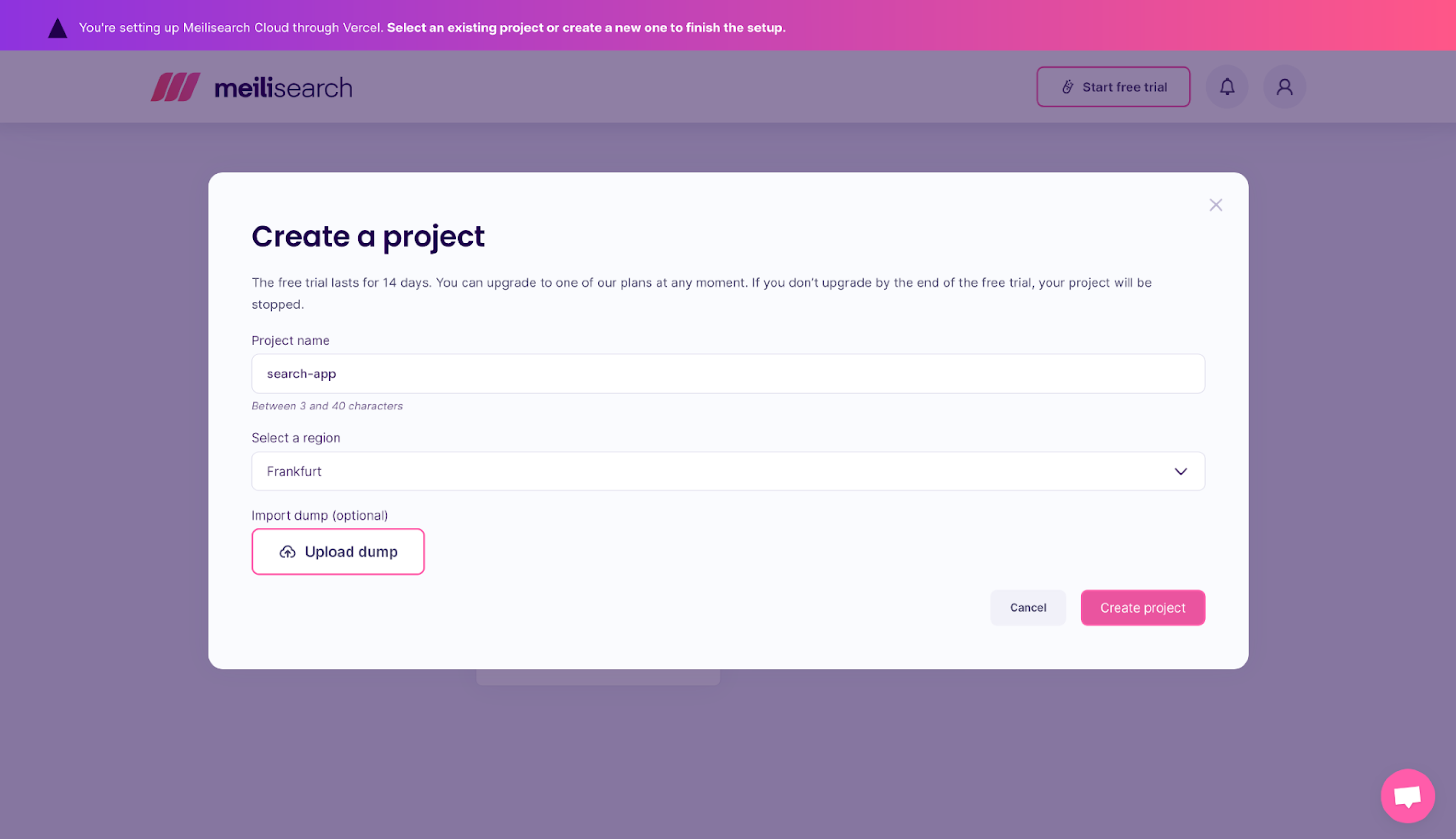 Once you click on **Create project**, you should see the following message: “Your Meilisearch + Vercel integration is one click away from being completed.” Click "Finish the Vercel integration setup". Meilisearch will then redirect you back to the Vercel integration page.
 ### Understand and use Meilisearch API keys
Meilisearch creates [four default API keys](/resources/self_hosting/security/basic_security#obtaining-api-keys): `Default Search API Key`, `Default Admin API Key`, `Default Read-Only Admin API Key`, and `Default Chat API Key`.
#### Admin API key
Use the `Default Admin API Key`, to control who can access or create new documents, indexes, and change index settings. Be careful with the admin key and avoid exposing it in public environments.
#### Search API key
Use the `Default Search API Key` to access the [search route](/reference/api/search/search-with-post). This is the one you want to use in your front end.
The Search and Admin API keys are automatically added to Vercel along with the Meilisearch URL. For more information on the other default keys, consult the [security documentation](/resources/self_hosting/security/basic_security#obtaining-api-keys).
The master key (which hasn’t been added to Vercel) grants users full control over an instance. You can find it in your project’s overview on your [Meilisearch Cloud dashboard](https://cloud.meilisearch.com/projects/?utm_campaign=oss\&utm_source=docs\&utm_medium=vercel-integration). Read more about [Meilisearch security](/resources/self_hosting/security/master_api_keys).
### Review your project settings
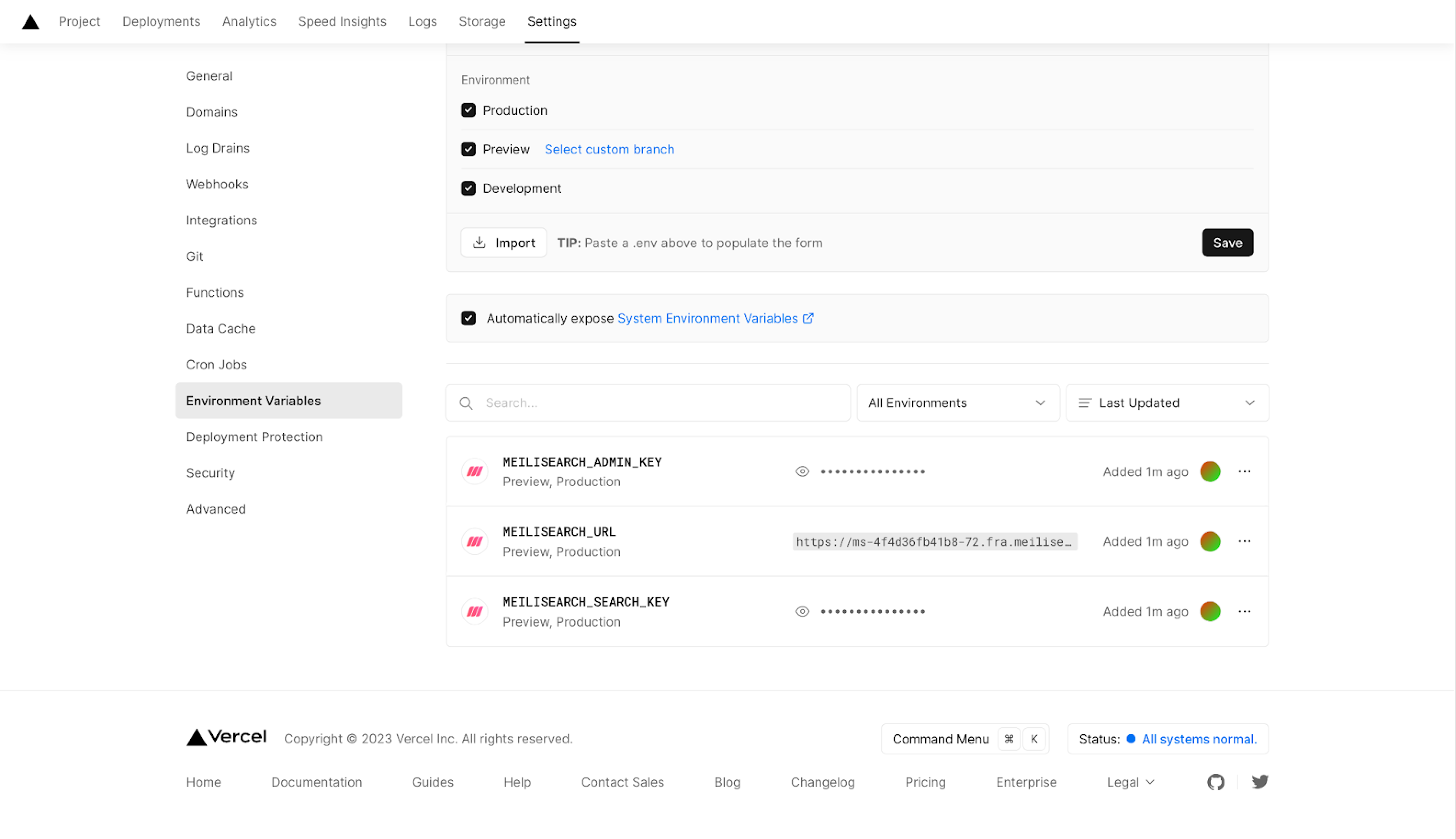
Go back to your project settings and check the new Meilisearch environment variables:
* `MEILISEARCH_ADMIN_KEY`
* `MEILISEARCH_URL`
* `MEILISEARCH_SEARCH_KEY`
### Understand and use Meilisearch API keys
Meilisearch creates [four default API keys](/resources/self_hosting/security/basic_security#obtaining-api-keys): `Default Search API Key`, `Default Admin API Key`, `Default Read-Only Admin API Key`, and `Default Chat API Key`.
#### Admin API key
Use the `Default Admin API Key`, to control who can access or create new documents, indexes, and change index settings. Be careful with the admin key and avoid exposing it in public environments.
#### Search API key
Use the `Default Search API Key` to access the [search route](/reference/api/search/search-with-post). This is the one you want to use in your front end.
The Search and Admin API keys are automatically added to Vercel along with the Meilisearch URL. For more information on the other default keys, consult the [security documentation](/resources/self_hosting/security/basic_security#obtaining-api-keys).
The master key (which hasn’t been added to Vercel) grants users full control over an instance. You can find it in your project’s overview on your [Meilisearch Cloud dashboard](https://cloud.meilisearch.com/projects/?utm_campaign=oss\&utm_source=docs\&utm_medium=vercel-integration). Read more about [Meilisearch security](/resources/self_hosting/security/master_api_keys).
### Review your project settings
Go back to your project settings and check the new Meilisearch environment variables:
* `MEILISEARCH_ADMIN_KEY`
* `MEILISEARCH_URL`
* `MEILISEARCH_SEARCH_KEY`
 When using [Next.js](https://nextjs.org/), ensure you prefix your browser-facing environment variables with `NEXT_PUBLIC_`. This makes them available to the browser side of your application. Be aware that any variable with this prefix is embedded in the client-side JavaScript bundle and visible to end users. Only use `NEXT_PUBLIC_` with the search API key, never with the admin or master key.
## Take advantage of the Meilisearch Cloud dashboard
When using [Next.js](https://nextjs.org/), ensure you prefix your browser-facing environment variables with `NEXT_PUBLIC_`. This makes them available to the browser side of your application. Be aware that any variable with this prefix is embedded in the client-side JavaScript bundle and visible to end users. Only use `NEXT_PUBLIC_` with the search API key, never with the admin or master key.
## Take advantage of the Meilisearch Cloud dashboard
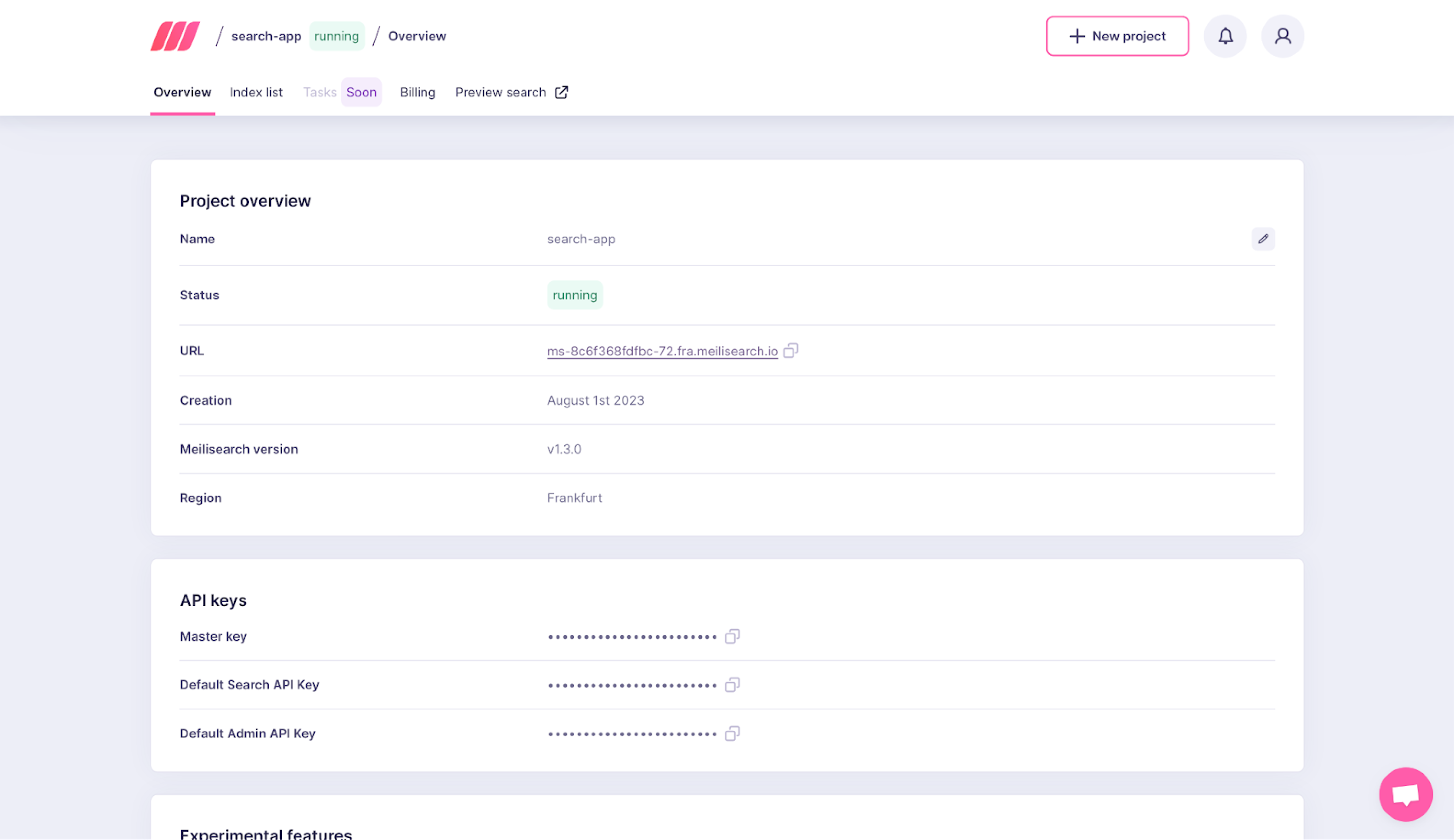 Use the [Meilisearch Cloud dashboard](https://cloud.meilisearch.com/projects/?utm_campaign=oss\&utm_source=docs\&utm_medium=vercel-integration), to index documents and manage your project settings.
## Resources and next steps
Check out the [quick start guide](/resources/self_hosting/getting_started/quick_start#add-documents) for a short introduction on how to use Meilisearch. We also provide many [SDKs and tools](/resources/help/sdks), so you can use Meilisearch in your favorite language or framework.
You are now ready to [start searching](/reference/api/search/search-with-post)!
Use the [Meilisearch Cloud dashboard](https://cloud.meilisearch.com/projects/?utm_campaign=oss\&utm_source=docs\&utm_medium=vercel-integration), to index documents and manage your project settings.
## Resources and next steps
Check out the [quick start guide](/resources/self_hosting/getting_started/quick_start#add-documents) for a short introduction on how to use Meilisearch. We also provide many [SDKs and tools](/resources/help/sdks), so you can use Meilisearch in your favorite language or framework.
You are now ready to [start searching](/reference/api/search/search-with-post)!