> ## Documentation Index
> Fetch the complete documentation index at: https://www.meilisearch.com/docs/llms.txt
> Use this file to discover all available pages before exploring further.
# Vue quick start
> Integrate a search-as-you-type experience into your Vue app.
## 1. Create a Vue application
Run the `npm create` tool to install base dependencies and create your app folder structure.
```bash theme={null}
npm create vue@latest my-app
```
## 2. Install the library of search components
Navigate to your Vue app and install `vue-instantsearch`, `@meilisearch/instant-meilisearch`, and `instantsearch.css`.
```bash theme={null}
npm install vue-instantsearch @meilisearch/instant-meilisearch instantsearch.css
```
* [Vue InstantSearch](https://github.com/algolia/instantsearch/): front-end tools to customize your search environment
* [instant-meilisearch](https://github.com/meilisearch/meilisearch-js-plugins/tree/main/packages/instant-meilisearch): Meilisearch client to connect with Vue InstantSearch
* [instantsearch.css](https://github.com/algolia/instantsearch/tree/master/packages/instantsearch.css) (optional): CSS library to add basic styles to the search components
## 3. Add InstantSearch
Include InstantSearch into `main.js` to include the Vue InstantSearch library.
```js theme={null}
import { createApp } from 'vue';
import App from './App.vue';
import InstantSearch from 'vue-instantsearch/vue3/es';
const app = createApp(App);
app.use(InstantSearch);
app.mount('#app');
```
## 4. Initialize the search client
Add the code below to the `App.vue` file.
```js theme={null}
```
These URL and API key point to a public Meilisearch instance that contains data from Steam video games.
The `ais-instant-search` widget is the mandatory wrapper that allows you to configure your search. It takes two props: the `search-client` and the [`index-name`](/resources/internals/indexes#index-uid).
## 5. Add a search bar and list search results
Add the `ais-search-box` and `ais-hits` widgets inside the `ais-instant-search` wrapper widget.
Import the CSS library to style the search components.
```
![]()
{{ item.name }}
{{ item.description }}
```
Use the slot directive to customize how each search result is rendered.
Use the following CSS classes to add custom styles to your components:
`.ais-InstantSearch`, `.ais-SearchBox`, `.ais-InfiniteHits-list`, `.ais-InfiniteHits-item`
## 6. Start the app and search as you type
Start the app by running:
```bash theme={null}
npm run dev
```
Now open your browser, navigate to your Vue app URL (e.g., `localhost:5173`), and start searching.
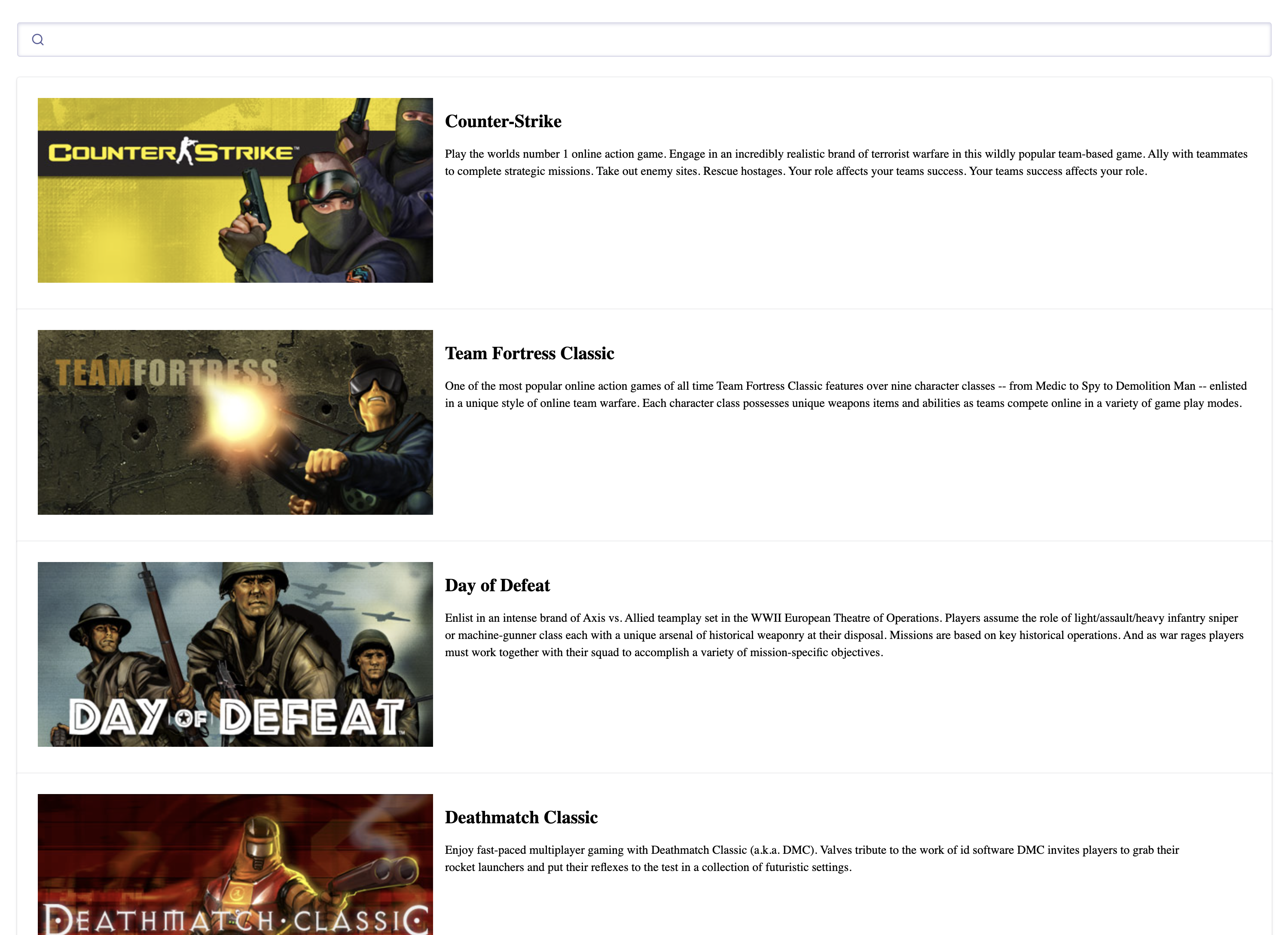 Encountering issues? Check out the code in action in our [live demo](https://codesandbox.io/p/sandbox/ms-vue3-is-forked-wsrkl8)!
## Next steps
Want to search through your own data? [Create a project](https://cloud.meilisearch.com) in the Meilisearch Dashboard. Check out our [getting started guide](/getting_started/overview) for step-by-step instructions.
Encountering issues? Check out the code in action in our [live demo](https://codesandbox.io/p/sandbox/ms-vue3-is-forked-wsrkl8)!
## Next steps
Want to search through your own data? [Create a project](https://cloud.meilisearch.com) in the Meilisearch Dashboard. Check out our [getting started guide](/getting_started/overview) for step-by-step instructions.