> ## Documentation Index
> Fetch the complete documentation index at: https://www.meilisearch.com/docs/llms.txt
> Use this file to discover all available pages before exploring further.
# Built-in ranking rules
> Built-in ranking rules are the core of Meilisearch's relevancy calculations.
There are two types of ranking rules in Meilisearch: built-in ranking rules and [custom ranking rules](/capabilities/full_text_search/relevancy/custom_ranking_rules). This article describes the main aspects of using and configuring built-in ranking rules.
Built-in ranking rules are the core of Meilisearch's relevancy calculations.
## List of built-in ranking rules
Meilisearch contains seven built-in ranking rules in the following order:
```json theme={null}
[
"words",
"typo",
"proximity",
"attributeRank",
"sort",
"wordPosition",
"exactness"
]
```
Depending on your needs, you might want to change this order. To do so, use the [update settings endpoint](/reference/api/settings/update-all-settings) or [update ranking rules endpoint](/reference/api/settings/update-rankingrules).
## 1. Words
Results are sorted by **decreasing number of matched query terms**. Returns documents that contain all query terms first.
To ensure optimal relevancy, **Meilisearch always sort results as if the `words` ranking rule were present** with a higher priority than the attributes, exactness, typo and proximity ranking rules. This happens even if `words` has been removed or set with a lower priority.
The `words` rule works from right to left. Therefore, the order of the query string impacts the order of results.
For example, if someone were to search `batman dark knight`, the `words` rule would rank documents containing all three terms first, documents containing only `batman` and `dark` second, and documents containing only `batman` third.
## 2. Typo
Results are sorted by **increasing number of typos**. Returns documents that match query terms with fewer typos first.
## 3. Proximity
Results are sorted by **increasing distance between matched query terms**. Returns documents where query terms occur close together and in the same order as the query string first.
[It is possible to lower the precision of this ranking rule.](/reference/api/settings/update-proximityprecision) This may significantly improve indexing performance. In a minority of use cases, lowering precision may also lead to lower search relevancy for queries using multiple search terms.
## 4. Attribute
`attribute` is an older built-in ranking rule equivalent to using both `attributeRank` and `wordPosition` together. When you use `attribute`, Meilisearch first sorts results by the attribute ranking order, then uses the position within attributes as a tiebreaker.
You cannot use `attribute` together with `attributeRank` or `wordPosition`. If you try to configure ranking rules with both, Meilisearch will return an error. We recommend using a combination of the `attributeRank` and `wordPosition` rules.
For most use-cases, we recommend using `attributeRank` and `wordPosition` separately. This gives you more control over result ordering by allowing you to place other ranking rules (like `sort` or custom ranking rules) between them.
## 4. Attribute rank
Results are sorted according to the **[attribute ranking order](/capabilities/full_text_search/relevancy/attribute_ranking_order)**. Returns documents that contain query terms in more important attributes first.
This rule evaluates only the attribute ranking order and does not consider the position of matched words within attributes.
## 5. Sort
Results are sorted **according to parameters decided at query time**. When the `sort` ranking rule is in a higher position, sorting is exhaustive: results will be less relevant but follow the user-defined sorting order more closely. When `sort` is in a lower position, sorting is relevant: results will be very relevant but might not always follow the order defined by the user.
Differently from other ranking rules, sort is only active for queries containing the [`sort` search parameter](/reference/api/search/search-with-post#body-sort). If a search request does not contain `sort`, or if its value is invalid, this rule will be ignored.
## 6. Word position
Results are sorted by the **position of query terms within the attributes**. Returns documents that contain query terms closer to the beginning of an attribute first.
This rule evaluates only the position of matched words within attributes and does not consider the attribute ranking order.
## 7. Exactness
Results are sorted by **the similarity of the matched words with the query words**. Returns documents that contain exactly the same terms as the ones queried first.
## Ordering ranking rules
The order of ranking rules determines which criteria take priority. Meilisearch applies rules sequentially using a bucket sort: the first rule sorts all results into groups, and each subsequent rule acts as a tiebreaker within those groups. Once a rule separates two documents, later rules have no effect on their relative order.
### Group 1: broad matching (Words, Typo, Proximity)
These three rules cast a wide net and return lots of results. Keep them first to ensure Meilisearch starts with a broad pool of relevant documents before narrowing down.
* **Words**: how many of your search terms appear in the document
* **Typo**: whether matches are exact words or typo-tolerant matches
* **Proximity**: how close together your search terms appear
### Group 2: fine-tuning (Attribute Rank, Word Position, Exactness)
These rules return fewer, more precise results. Place them after Group 1 to refine the large result set.
* **Attribute Rank**: matches in more important fields rank higher
* **Word Position**: matches near the beginning of a field rank higher
* **Exactness**: documents that match the whole query exactly rank higher
### Where to place Sort
Sort only activates when you include the `sort` parameter in your search query. Without it, the Sort rule has no effect.
Place Sort **after Group 1 rules and before Group 2 rules** for the best balance of relevancy and sorting. This way, Meilisearch finds relevant results first, then uses your sort field to order documents with similar text relevance.
If sorting matters more than text relevance for your use case (for example, strict price ordering in ecommerce), move Sort higher. If Sort seems to have no effect, try moving it up one position at a time.
### Custom ranking rules as tiebreakers
Place custom ranking rules (`popularity:desc`, `release_date:desc`, etc.) at the end of your sequence. They work best for adding business logic after text relevance has been established.
### Recommended order
```json theme={null}
[
"words",
"typo",
"proximity",
"sort",
"attributeRank",
"wordPosition",
"exactness",
"popularity:desc"
]
```
## Examples
 ### Typo
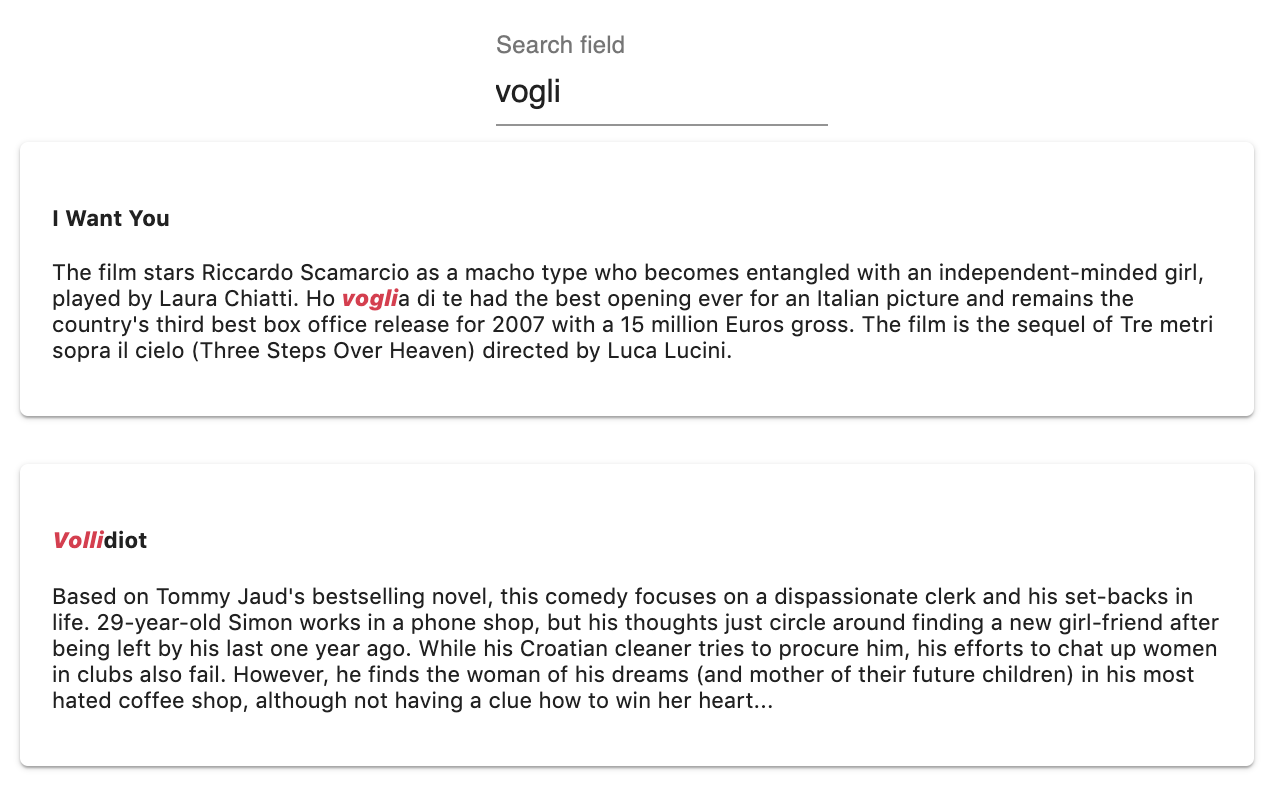
* `vogli`: 0 typo
* `volli`: 1 typo
The `typo` rule sorts the results by increasing number of typos on matched query words.
### Typo
* `vogli`: 0 typo
* `volli`: 1 typo
The `typo` rule sorts the results by increasing number of typos on matched query words.
 ### Proximity
The reason why `Creature` is listed before `Mississippi Grind` is because of the `proximity` rule. The smallest **distance** between the matching words in `creature` is smaller than the smallest **distance** between the matching words in `Mississippi Grind`.
The `proximity` rule sorts the results by increasing distance between matched query terms.
### Proximity
The reason why `Creature` is listed before `Mississippi Grind` is because of the `proximity` rule. The smallest **distance** between the matching words in `creature` is smaller than the smallest **distance** between the matching words in `Mississippi Grind`.
The `proximity` rule sorts the results by increasing distance between matched query terms.
 ### Attribute rank
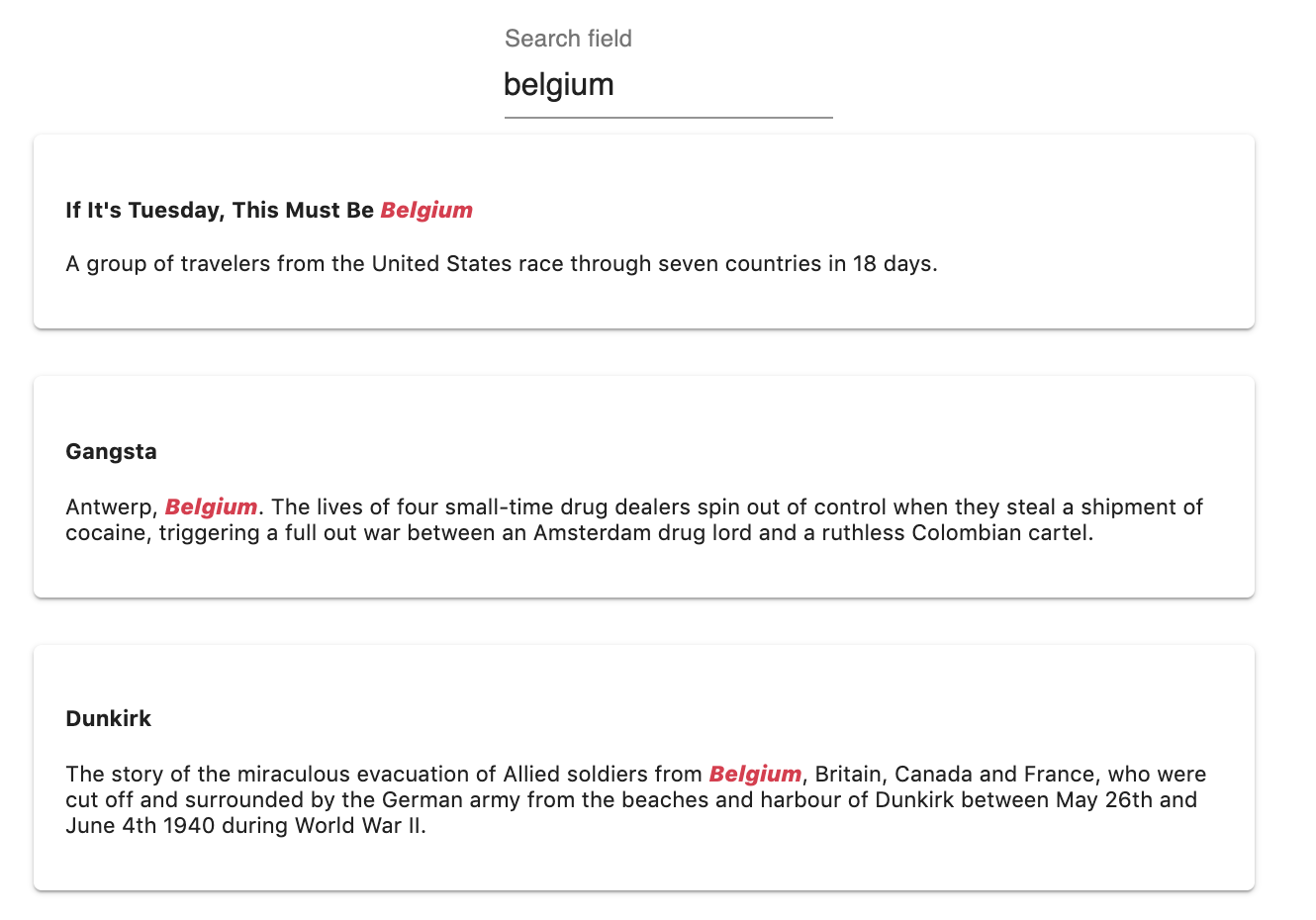
`If It's Tuesday, This must be Belgium` is the first document because the matched word `Belgium` is found in the `title` attribute and not the `overview`.
The `attributeRank` rule sorts the results by [attribute importance](/capabilities/full_text_search/relevancy/attribute_ranking_order).
### Attribute rank
`If It's Tuesday, This must be Belgium` is the first document because the matched word `Belgium` is found in the `title` attribute and not the `overview`.
The `attributeRank` rule sorts the results by [attribute importance](/capabilities/full_text_search/relevancy/attribute_ranking_order).
 ### Exactness
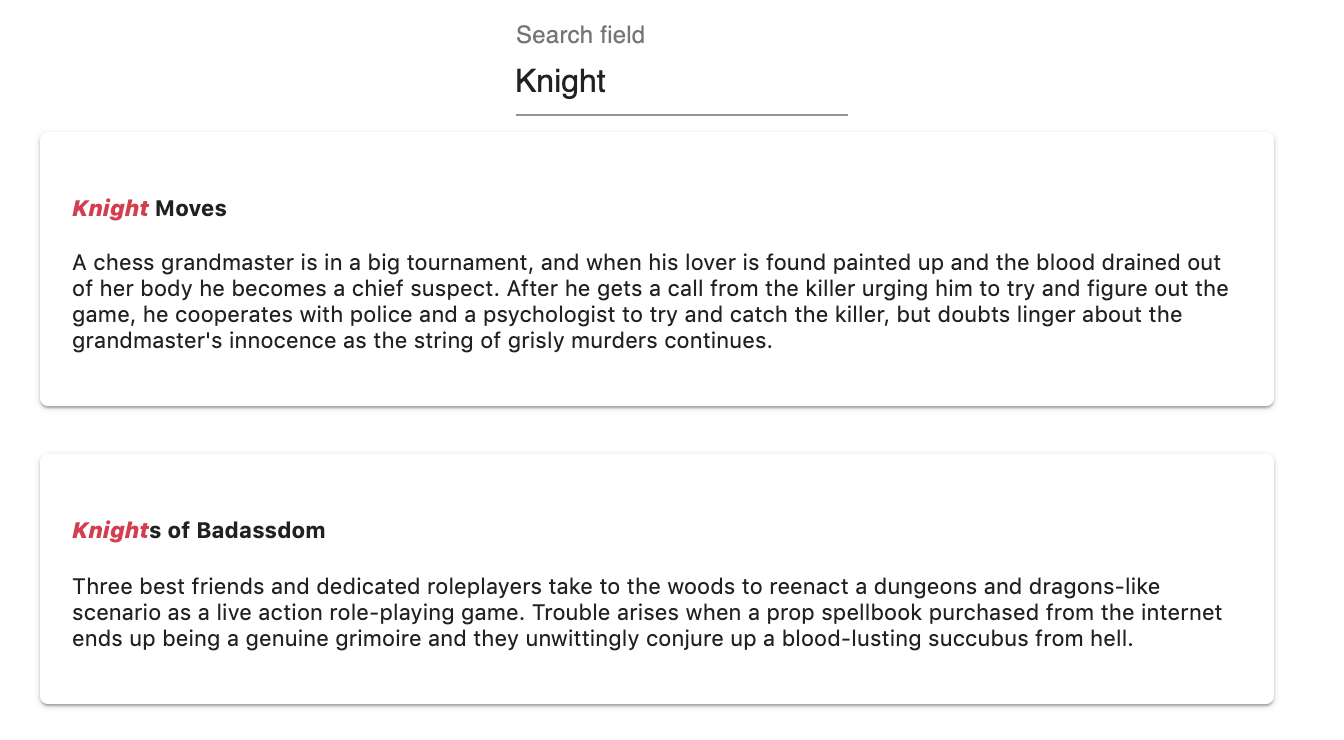
`Knight Moves` is displayed before `Knights of Badassdom`. `Knight` is exactly the same as the search query `Knight` whereas there is a letter of difference between `Knights` and the search query `Knight`.
### Exactness
`Knight Moves` is displayed before `Knights of Badassdom`. `Knight` is exactly the same as the search query `Knight` whereas there is a letter of difference between `Knights` and the search query `Knight`.